

Inventory Management for Malaysian SME Retailers: What Actually Works
Haukoo Tech Admin · · 3 min read
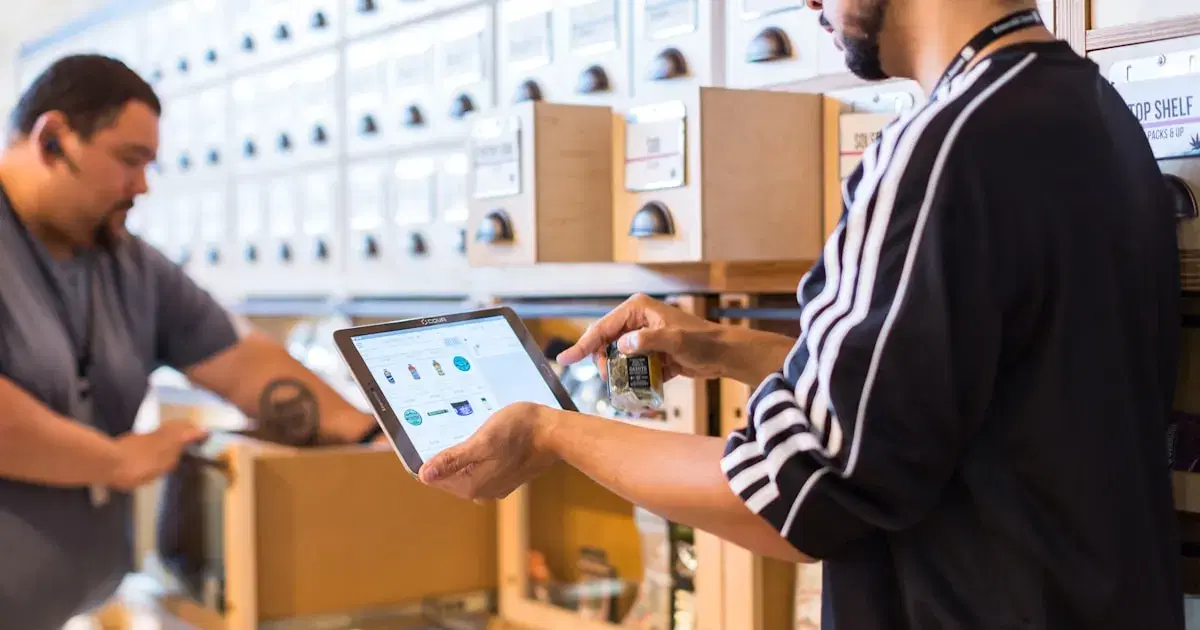
Inventory is where most Malaysian SME retailers quietly lose money — not through theft or fraud, but through small, everyday inefficiencies: stock that sits in the wrong outlet, reorders placed too late, and end-of-month counts that never quite match what's on the shelf. We looked at what actually moves the needle for small retail operations, rather than the long feature checklists vendors like to lead with.
Start With the Problem You Actually Have
Before comparing systems, it's worth being honest about which of these is really costing you money: running out of fast-moving stock, sitting on slow-moving stock you overordered, or losing track of stock across multiple locations. Each of these points to a different priority feature, and most retailers can only name their real problem once they've been asked directly.
Low Stock Alerts That Are Actually Useful
Almost every POS system on the market claims to offer low stock alerts, but the useful versions differ in one key way: they account for sales velocity, not just a fixed reorder threshold. A flat "alert me at 10 units" rule doesn't account for a product that sells 2 units a week versus one that sells 20.
- Look for velocity-based alerts that adjust thresholds automatically based on recent sales
- Confirm alerts can be routed to the right person — not just a dashboard nobody checks
- Check whether the system suggests a reorder quantity, not just a warning
Multi-Location Sync Is Non-Negotiable Past One Outlet
The moment a retailer opens a second location, inventory sync stops being a nice-to-have. We've seen too many SMEs running two outlets on spreadsheets that get updated once a week, which means stock transfers between locations are effectively invisible until someone physically counts shelves.
- Real-time sync means a sale at one outlet immediately reflects in the other's available stock
- Transfer requests between outlets should be trackable, not just a WhatsApp message to a manager
- Centralised reporting lets you see which outlet is overstocked before it becomes dead stock
Barcode Scanning: Where the Time Savings Really Show Up
Barcode scanning sounds like a basic feature, but its impact compounds. A stock count that takes four staff members half a day with clipboards can take under an hour with handheld scanners synced to the POS. The upfront cost of scanners is usually recovered within the first two or three stock counts through labour time alone.
- Confirm the system supports standard barcode formats used by your suppliers
- Ask whether scanning works offline if warehouse connectivity is patchy
- Look for batch-scanning workflows for receiving large shipments, not just single-item lookups
Reporting That Tells You Something Actionable
The best inventory reports don't just show what's in stock — they show what's about to become a problem. Dead stock reports, sell-through rate by category, and days-of-inventory-on-hand are the three reports that actually change purchasing decisions, more so than a generic "current stock levels" export.
What Actually Works
For most Malaysian SME retailers, the winning combination is velocity-based low stock alerts, real-time multi-location sync, and barcode scanning for receiving and counting — in that order of priority. Systems that nail these three fundamentals tend to be worth the subscription cost even before you look at anything else on the feature list.
Related articles
 F&B
F&BBuying Guide4 min
The Complete Guide to Choosing an F&B POS System in Malaysia (2026)
From cloud vs. on-premise to SST compliance and delivery integrations — everything a restaurant owner needs to know before signing a contract.
Haukoo Tech Admin
 Beauty
Comparison3 min
Salon Booking Software Compared: Fresha vs. Vagaro vs. SimplyBook
We tested all three with real salons in KL. Here's what the feature lists don't tell you about day-to-day use.
Haukoo Tech Admin
 Accounting
Business Advice3 min
5 Signs Your Business Has Outgrown Its Accounting Software
Still reconciling in Excel? Taking more than a day to close monthly accounts? These are the signs it's time to upgrade.
Haukoo Tech Admin
Ready to Upgrade Your POS System?
Don't let outdated systems hold you back. Find the perfect solution for your business in minutes.
Free consultation · No credit card required · Tailored to your industry